How to use custom domains & branding in your knowledge base
3rd December 2025

posted 3rd December 2025
When your help centre or training hub matches your company’s look, it feels more professional and trustworthy.
In this blog, we’ll explain how to choose your own webfactorysite.co.uk address or connect your own domain, and how to brand your knowledge base so it fits seamlessly with your business website.
What’s a custom domain?
A custom domain is your own personalised web address. Using a custom domain makes your knowledge base look more official and easier for people to find. It also keeps everything under your brand name, which builds trust with your customers and team.
How do add my custom domain to my Webfactory knowledge base?
All our Knowledge Base packages include a free webfactorysite.co.uk address. For example, if your company is called Forge Marketing, your Knowledge Base could use forge.webfactorysite.co.uk. You can choose your address in your editor under Settings > Custom web address.
If you already have your own domain, you can connect it to your Knowledge Base too. Update the DNS records through your domain registrar to point it to your Knowledge Base, then add it under Settings > Custom web address.
Why does branding matter?
Branding is more than just your logo; it’s your company colours, fonts, and style. When your knowledge base matches your website design.
It can:
- Look more professional
- Build brand trust
- Gives visitors a smoother experience
- Shows your company identity
Your knowledge base should feel like a natural extension of your main site, not a separate tool.
How do I add my branding to my Webfactory knowledge base?
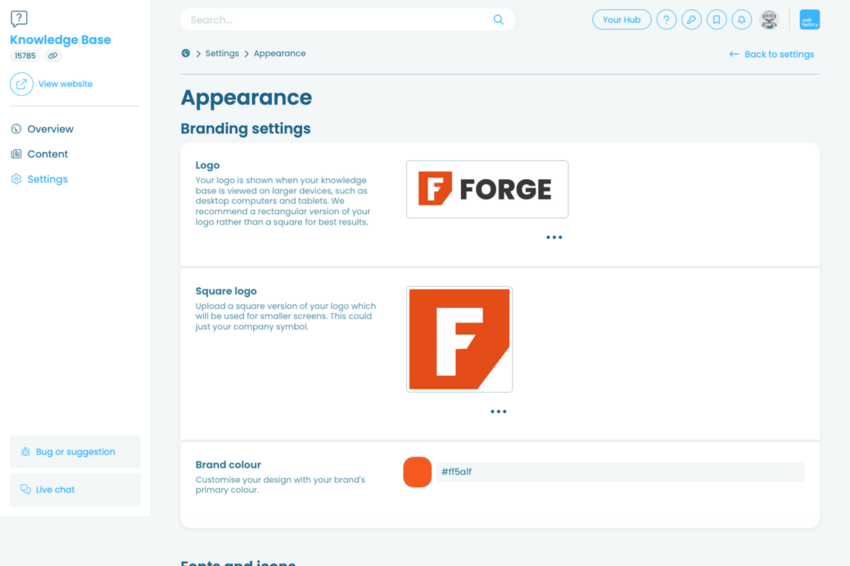
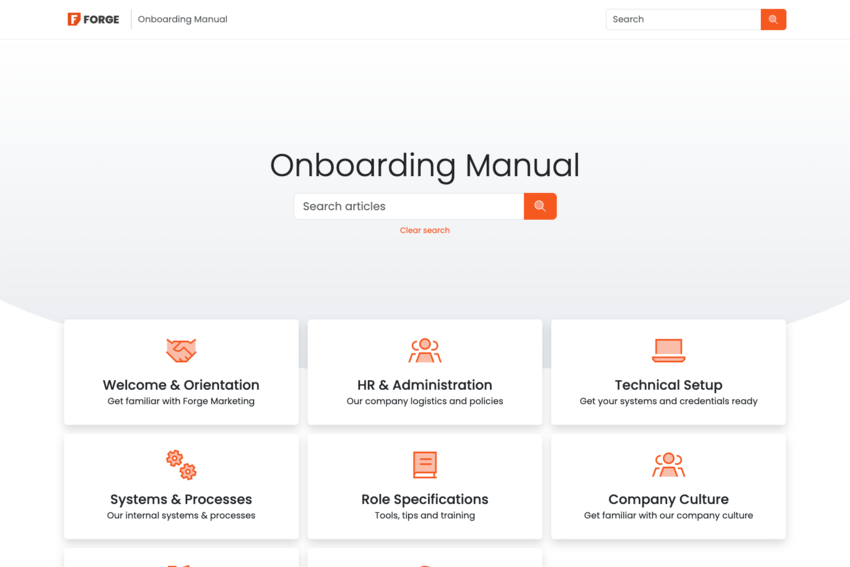
You can add your company logo, primary brand colour, font style and favicon to your knowledge base. You can also customise the icons to a style that suits your brand image best. You can set this in your editor via settings > Appearance
The benefits of custom domains & branding
When your knowledge base is branded, you:
- Build stronger trust with customers
- Keep your company identity consistent
- Make it easy to find and remember
- Look more professional and organised
Summary
Branding your Knowledge Base with your own domain and company style makes it look professional and trustworthy. With Webfactory Knowledge Base, you can choose a webfactorysite.co.uk address or connect your own domain, so your help centre feels like part of your main website.
You can also add your logo, colours, and fonts to match your brand. A branded Knowledge Base builds customer trust, keeps your company identity consistent, and gives visitors a smooth, professional experience every time they visit.
Ready to build your own knowledge base?
Start your free trial today and see how it can transform your team's knowledge sharing.
Start free trial